
Overview
TreeSize Pro: Discover exactly where your disk space is used
What is TreeSize Pro?
TreeSize Pro is an enterprise-grade storage analyzer and disk space management solution for Windows. It reveals precisely how capacity is consumed across drives, folders, and files—enabling you to pinpoint space consumers, plan cleanup efforts, and manage storage with full visibility.
From a single desktop to workstations and business file servers or network shares, TreeSize Pro delivers granular insight into folder and file sizes, oversized files, duplicate content, and storage growth trends.
Designed for IT staff, consultants, and power users who require more than a simple folder-size view: TreeSize Pro offers the depth and control needed for thorough storage analysis and cleanup preparation.
Why Use TreeSize Pro?
Full Visibility
View folder and file sizes in an instant. Eliminate guesswork—navigate from drive level down to individual files via a clear, hierarchical view.
Fast Scanning
Efficient scans deliver results as analysis progresses. Tuned for large volumes and network locations.
Report Export
Generate storage reports in PDF, Excel, HTML, CSV, and other formats. Support audit requirements and internal documentation without additional software.
Cleanup Planning
Spot large files, duplicates, and aging data before removal. Base cleanup decisions on solid evidence instead of guesswork.
Automation & Scripting
Command-line support, scheduled runs, and repeatable workflows. Integrate TreeSize Pro into your existing processes and automation.
Local-Only Operation
All processing happens on your machine. Your data remains on your infrastructure—no cloud uploads or third-party handling of scan data.
Key Features
Discover the capabilities that position TreeSize Pro as the preferred tool for professional storage analysis and disk space management.
Storage Analysis
Complete insight into folder and file sizes with drill-down analysis and identification of the largest space consumers.
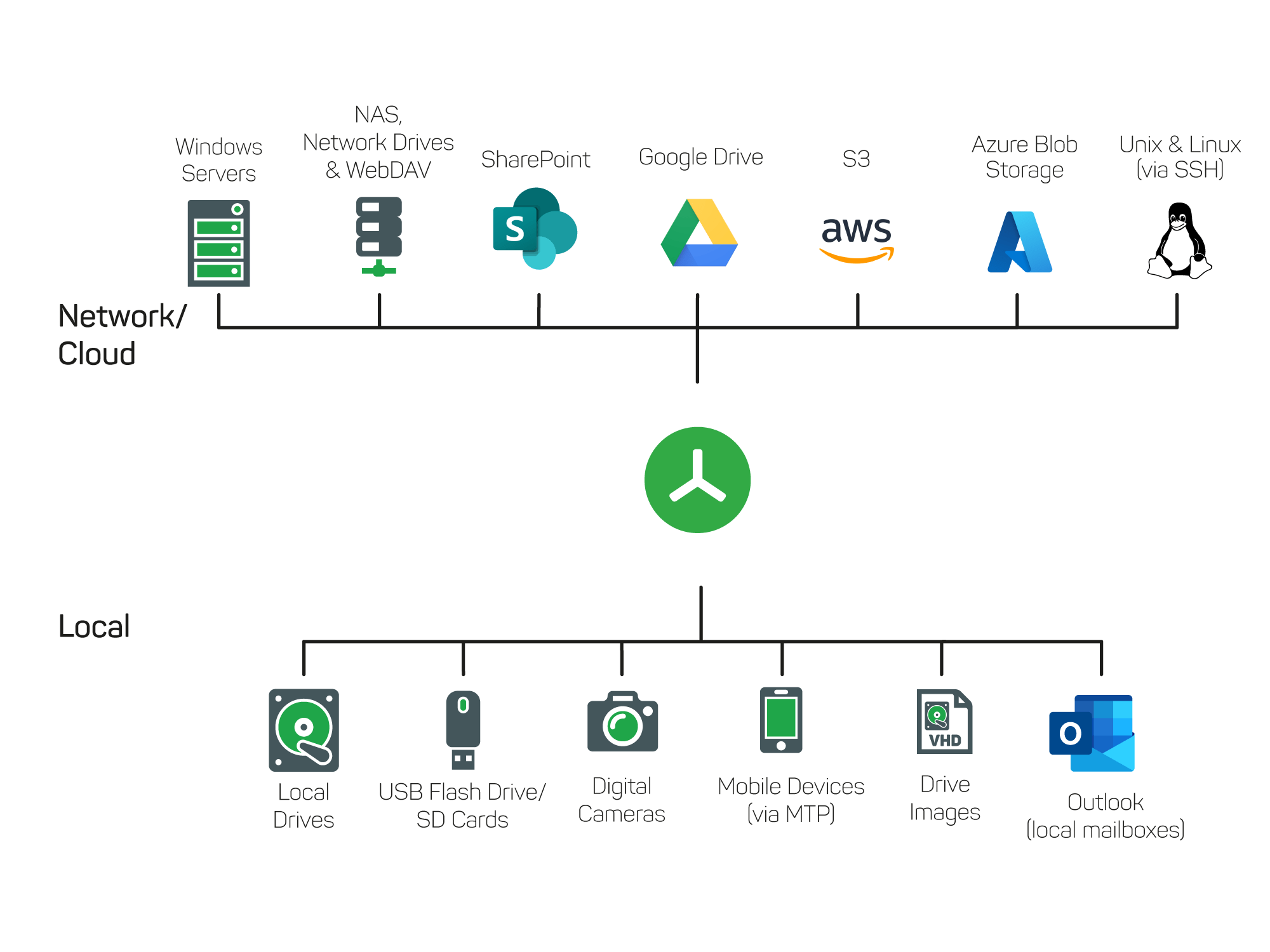
Scan Targets
Select local drives, folders, or network paths to analyze from a single interface.
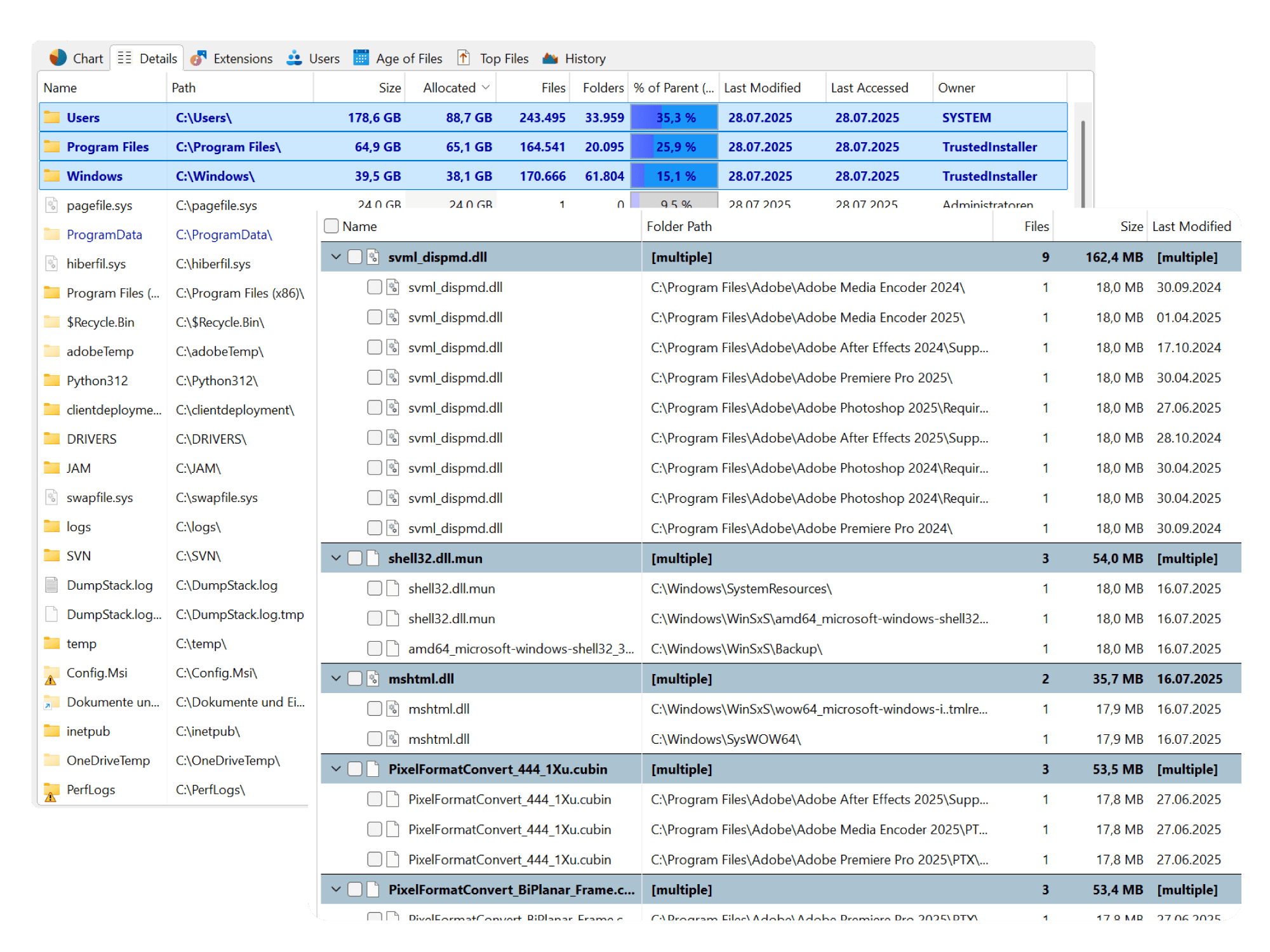
Organize Storage
Locate large files and duplicates to plan cleanup and reclaim capacity.
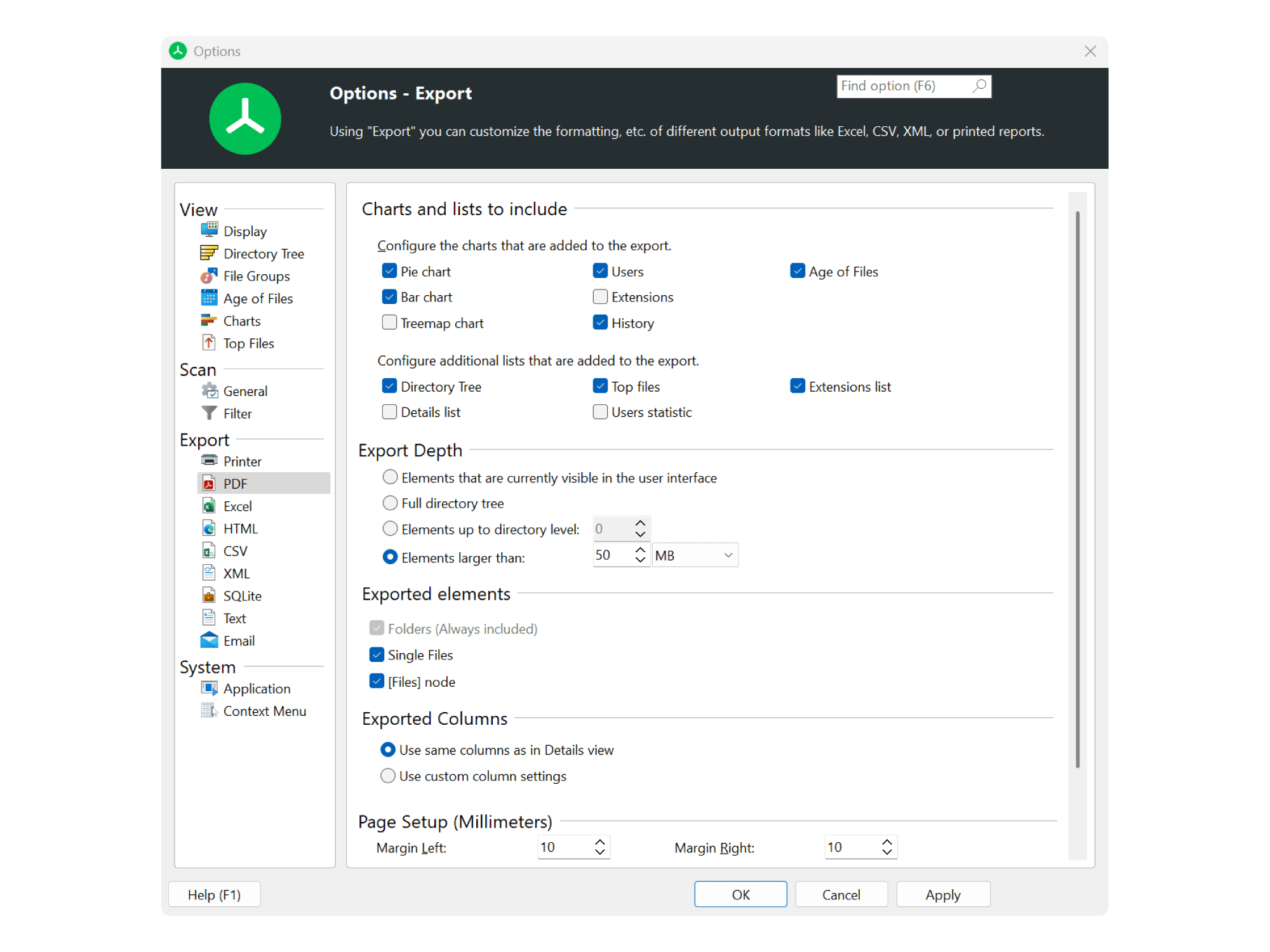
Storage Reporting
Output to PDF, Excel, HTML, CSV, and XML for audits and sharing.
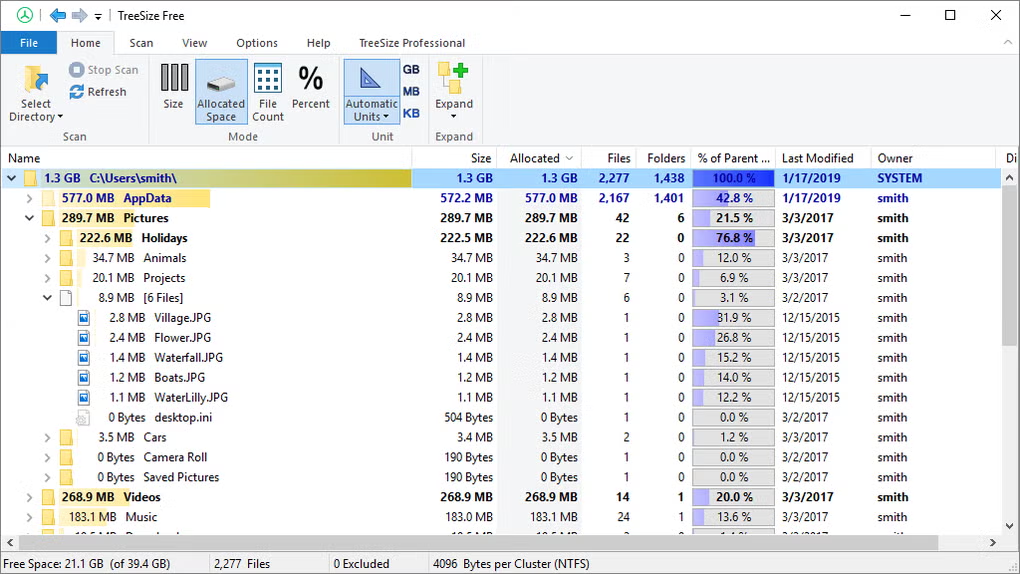
Columns
Configurable columns to sort and compare size, count, and file attributes.

Tree View
Browse folder hierarchy and disk usage in an Explorer-style tree.
Real Use Cases
IT admins managing file servers
Track disk consumption on Windows servers and network shares, execute scheduled scans, and generate storage reports for capacity planning and cleanup initiatives.
Power users freeing space on PCs and SSDs
Locate large files and folders swiftly, view usage via treemaps, and reclaim space on workstations and gaming systems with data-driven decisions.
Consultants performing client storage audits
Provide evidence-based storage audits using exported reports, duplicate detection, and growth comparisons—suited for client deliverables.
Teams tracking storage growth and reporting
Monitor storage growth over time, distribute reports to stakeholders, and base cleanup and procurement on factual data.
Businesses finding duplicate data and wasted capacity
Leverage duplicate finder and large-file filters to spot redundant and oversized data before archiving or deletion—cutting cost and clutter.
Visual Analysis That Drives Decisions
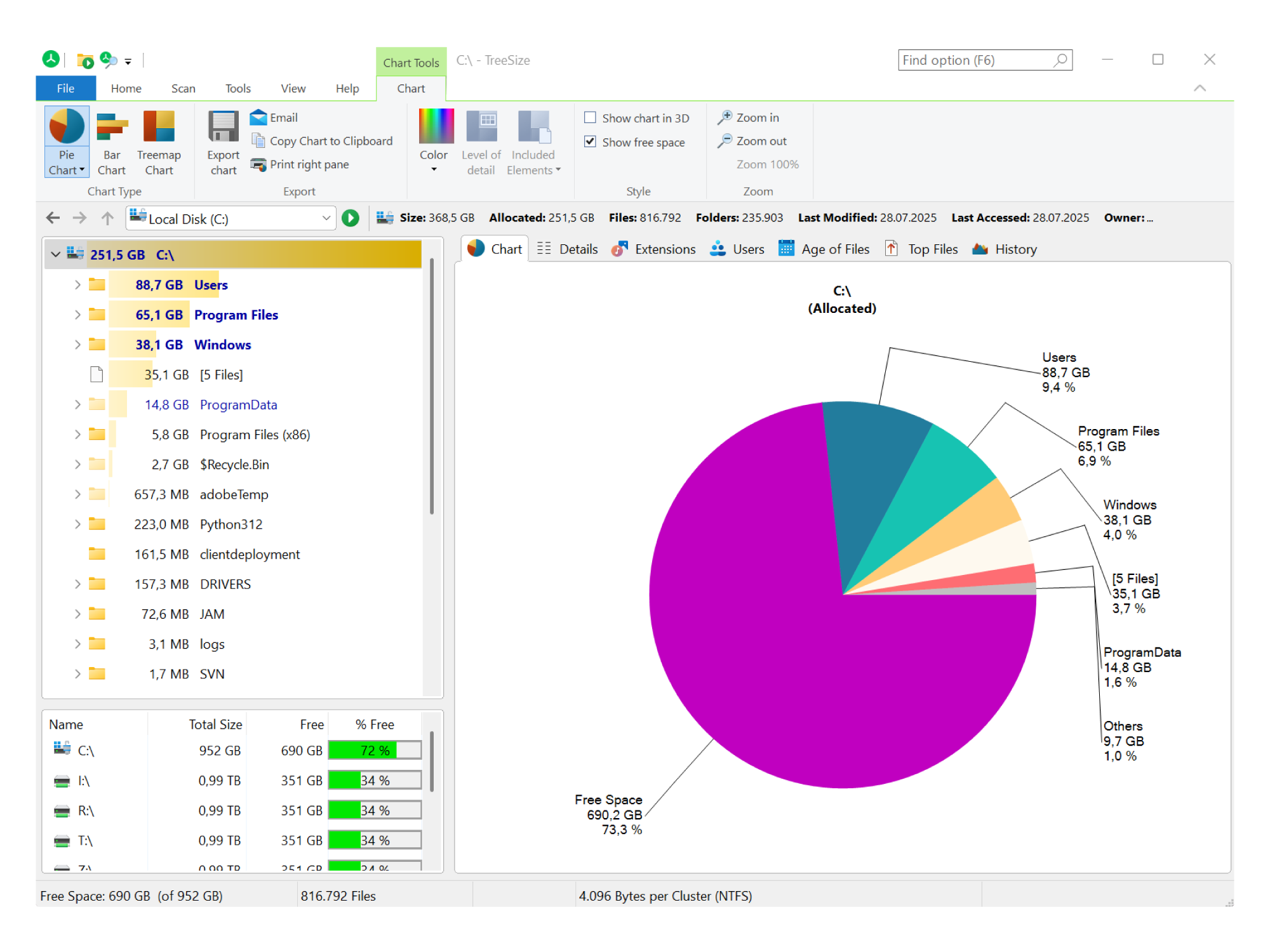
Charts, treemaps, and structured folder views transform raw size data into actionable insight. TreeSize Pro lets you identify the biggest space consumers at a glance—whether you use a treemap for proportional visualization, bar charts for ranking, or a classic tree view for drill-down.
.webp)
.webp)
.webp)
.webp)
.webp)
- • Treemap view displays relative size of folders and files in one glance.
- • Bar charts and list views sort by size, count, or other attributes.
- • Explorer-style navigation lets you drill down while keeping context.
- • Filter by file type, age, or size to concentrate on what matters.
How TreeSize Pro Compares
TreeSize Pro belongs to the same family as other established disk space analyzers and storage utilities. It distinguishes itself through reporting depth, enterprise readiness, and workflow integration. You receive robust export options (PDF, Excel, HTML, XML, CSV), automation via command line and scheduled tasks, built-in duplicate detection, and a focus on professional and IT use. If you need more than a one-time treemap—recurring reports, network and server scanning, or audit-ready outputs—TreeSize Pro is designed for that. Compare fairly: assess features, performance, and support against your own needs.
| Capability | TreeSize Pro | Typical storage analyzers |
|---|---|---|
| Detailed disk space analysis | ✓ | Varies |
| Treemap & chart visualization | ✓ | Common |
| Duplicate file finder | ✓ | Not all |
| Export to PDF, Excel, HTML, CSV | ✓ | Limited in many |
| Command line & scheduled tasks | ✓ | Rare in free tools |
| Network / server scanning | ✓ | Varies |
| Storage growth comparison | ✓ | Not all |
Trust and Transparency
TreeSize Pro is designed for professional, legitimate storage analysis and cleanup planning. It operates on-premise: your scan data remains on your machines. The software is not used to collect your files or transmit storage data to the cloud. The purpose is explicit—disk space analysis, storage visibility, reporting, and cleanup insight—so you can manage storage with transparency and control. For details on trust, safety, and responsible use, visit our Trust & Security page.
On-premise
Analysis runs locally with no cloud dependency.
Data control
Your data stays on your systems at all times.
Clear purpose
Storage analysis and reporting only—no system modification.
Cleanup, Reporting, and Duplicate Detection
TreeSize Pro covers the full workflow: analyze disk space, locate large files and duplicates, export reports for audits, and plan cleanup with evidence. Built for Windows and for professionals who prioritize storage management.
Get TreeSize ProReady to Take Control of Your Storage?
Get TreeSize Pro and begin analyzing disk space, locating large files, and producing reports—on your PC or across your organization.
Download Now